- What is Wan 3.0?
- Key Specifications
- What is Mixture-of-Experts (MoE)?
- Wan 3.0 Strengths
- 1. Texture & Material Fidelity
- 2. Detail Preservation
- 3. Best Value-for-Money
- 4. Open-Source Flexibility
- 5. Consistent Output
- Wan 3.0 vs Competitors
- Wan 3.0 vs Wan 2.5
- Wan 3.0 vs Seedance 2.5
- Wan 3.0 vs Kling 3.0
- Wan 3.0 vs Veo 3
- How to Use Wan 3.0
- Where to Access Wan 3.0
- Step-by-Step Tutorial
- Wan 3.0 Pricing
- Visualix AI Pricing
- Best Use Cases for Wan 3.0
- 1. E-commerce & Product Videos
- 2. Food Content
- 3. High-Volume Social Media
- 4. Architecture & Real Estate
- 5. Nature & Wildlife B-Roll
- 6. Budget-Conscious Creators
- Prompting Tips for Wan 3.0
- Emphasize Textures
- Describe Materials Specifically
- Use Lighting to Enhance Texture
- Keep Motion Simple
- Specify Close-Ups
- Common Issues & Solutions
- Issue: Motion looks stiff
- Issue: Colors look muted
- Issue: Background is too detailed (distracts from subject)
- Issue: Video artifacts in complex scenes
- Wan 3.0 Limitations
- Wan 3.0 Alternatives
- Is Wan 3.0 Worth It?
- Get Started with Wan 3.0
Wan 3.0 is Alibaba's answer to the AI video generation race — and it's one of the smartest models released in 2026.
While competitors focus on closed-source, premium-priced models, Alibaba went the opposite direction: open-source weights with Mixture-of-Experts architecture that delivers stunning texture fidelity at a fraction of the cost.
If you want high-quality AI video without breaking the bank, Wan 3.0 should be on your radar.
This complete guide covers everything you need to know about Wan 3.0 in 2026.
What is Wan 3.0?
Wan (万, "ten thousand" in Chinese) is Alibaba's open-source AI video foundation model. Released in early 2026, Wan 3.0 is the latest version in the family, featuring:
- Mixture-of-Experts (MoE) architecture — specialized sub-models for different content
- Exceptional texture fidelity — materials, fabrics, surfaces render beautifully
- Open-source weights — anyone can fine-tune or self-host
- Affordable pricing — best quality-per-dollar ratio in 2026
Key Specifications
| Feature | Specification |
|---|---|
| Max Duration | 10 seconds |
| Resolution | 480p, 720p, 1080p |
| Frame Rate | 24-30 FPS |
| Audio | Silent output (no audio generation) |
| Aspect Ratios | 16:9, 9:16, 1:1 |
| Modes | Text-to-Video, Image-to-Video |
| Architecture | Mixture-of-Experts (MoE) |
| Provider | Alibaba Cloud |
| License | Open-source (commercial use allowed) |
What is Mixture-of-Experts (MoE)?
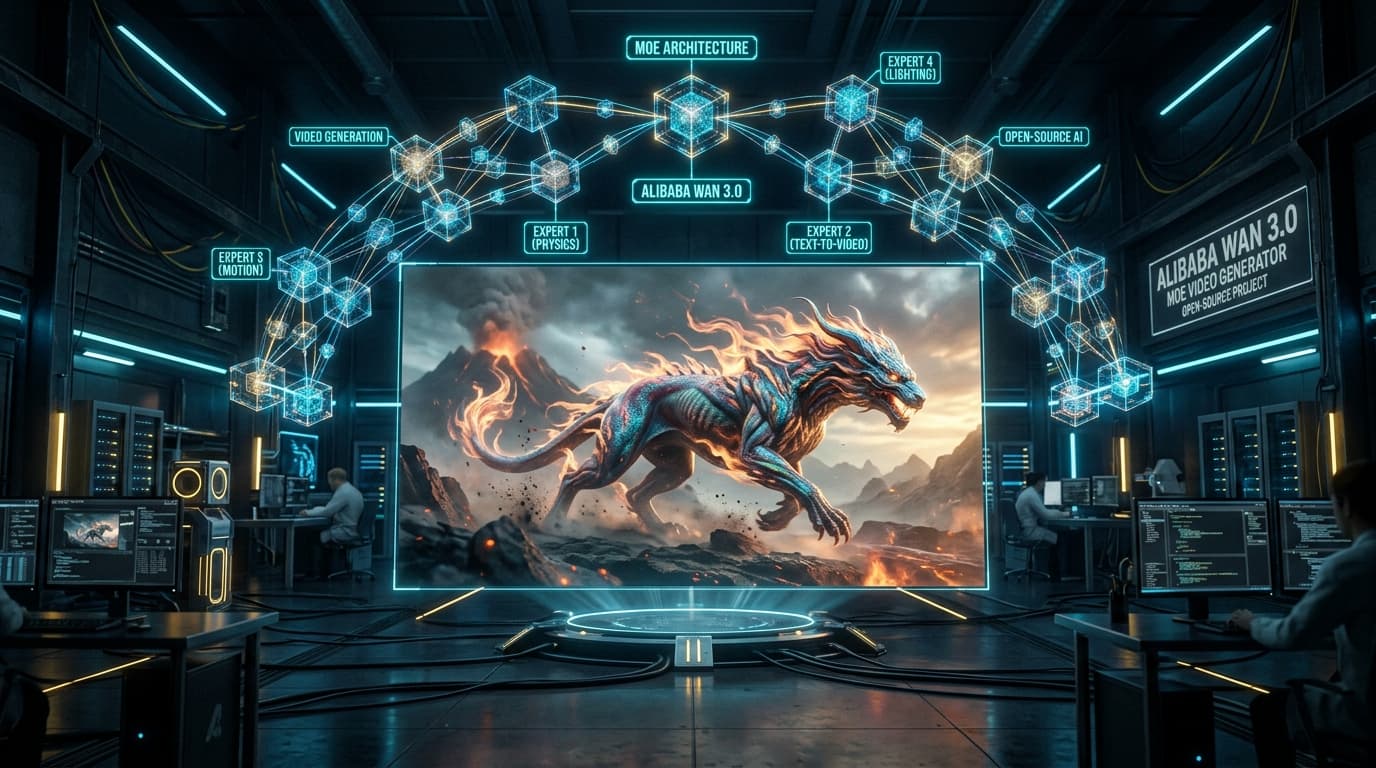
Wan 3.0's secret weapon is MoE architecture.
Traditional AI video models use a single monolithic neural network. MoE models contain multiple specialized "expert" sub-networks, and a gating mechanism that routes different inputs to the right experts.
How it works:
- You prompt: "A silk dress flowing in wind"
- The gating network routes to the fabric/texture expert
- You prompt: "A metal robot walking"
- The gating routes to the metal/reflective surfaces expert
- You prompt: "A person's face close-up"
- The gating routes to the human/skin expert
Why it's better:
✅ Better quality per parameter — smaller model, better results
✅ Faster inference — only activates needed experts
✅ Texture specialization — each expert masters its domain
✅ Lower cost — efficient compute usage
This is why Wan 3.0 delivers premium texture quality at budget-tier pricing.
Wan 3.0 Strengths
1. Texture & Material Fidelity
Wan 3.0 excels at rendering:
✅ Fabrics — silk, wool, cotton, leather
✅ Surfaces — wood grain, metal sheen, glass reflections
✅ Natural textures — skin, fur, feathers, bark
✅ Food — glistening, appetizing visuals
If your video features close-ups of materials, products, or textures, Wan 3.0 is top-tier.
2. Detail Preservation
Wan 3.0 maintains fine details that other models blur or lose:
- Embroidery patterns on clothing
- Text on product labels (more reliable than most models)
- Facial features in close-ups
- Architectural details
3. Best Value-for-Money
Quality-to-cost ratio:
| Model | Quality Score (1-10) | Cost (5s @ 480p) | Value Score |
|---|---|---|---|
| Wan 3.0 | 8.5 | 38 credits | 0.224 ✅ |
| Kling 3.0 | 9.0 | 52 credits | 0.173 |
| Seedance 2.5 | 9.2 | 61 credits | 0.151 |
| Veo 3 | 9.5 | 129 credits | 0.074 |
Wan 3.0 delivers 85-90% of the quality at 40-60% of the price.
4. Open-Source Flexibility
Unlike closed models, Wan 3.0's open-source nature means:
- Developers can fine-tune on custom datasets
- Community creates specialized versions
- Self-hosting is possible (if you have GPUs)
- Transparency into model architecture
5. Consistent Output
Wan 3.0 produces reliable results with fewer artifacts than budget competitors.
Wan 3.0 vs Competitors
Wan 3.0 vs Wan 2.5
| Feature | Wan 2.5 | Wan 3.0 |
|---|---|---|
| Architecture | Single model | ✅ MoE (multiple experts) |
| Texture Quality | Good | ✅ Excellent |
| Resolution | Up to 720p | ✅ Up to 1080p |
| Speed | Standard | ✅ Faster |
| Pricing | From 28 credits | From 38 credits |
Verdict: Wan 3.0 is worth the extra cost for the texture upgrade and MoE efficiency.
Wan 3.0 vs Seedance 2.5
| Feature | Wan 3.0 | Seedance 2.5 |
|---|---|---|
| Texture Detail | ✅ Best | Good |
| Motion Realism | Good | ✅ Better |
| Audio | ❌ Silent | ✅ Native audio |
| Max Duration | 10 seconds | ✅ 30 seconds |
| Pricing | ✅ 38 credits | 61 credits |
Winner: Wan for product/texture shots, Seedance for motion and audio.
Wan 3.0 vs Kling 3.0
| Feature | Wan 3.0 | Kling 3.0 |
|---|---|---|
| Texture Quality | ✅ Better | Excellent |
| Image-to-Video | Good | ✅ Best |
| Speed | 3-4 min | ✅ 2-3 min |
| Pricing | ✅ 38 credits | 52 credits |
Winner: Wan for budget + textures, Kling for image animation.
Wan 3.0 vs Veo 3
| Feature | Wan 3.0 | Veo 3 |
|---|---|---|
| Cinematic Quality | Good | ✅ Best |
| Value for Money | ✅ Best | Expensive |
| Texture Detail | ✅ Excellent | Very good |
| Pricing | ✅ 38 credits | 129 credits |
Winner: Wan for volume work, Veo for hero shots.
How to Use Wan 3.0
Where to Access Wan 3.0
The easiest way is Visualix AI.
Why Visualix AI:
✅ No GPU or technical setup required
✅ Browser-based interface
✅ Pay-per-use credits (no subscription lock-in)
✅ Free starter credits
✅ Batch generation
✅ History automatically saved
Alternative: Self-host if you have 2x A100 GPUs (~$20K hardware investment). Not practical for most users.
Step-by-Step Tutorial
Step 1: Sign Up
Go to visualixai.com and create a free account. Get 600 starter credits.
Step 2: Navigate to Wan 3.0
Dashboard → Create → AI Video → Wan 3.0
Step 3: Choose Mode
- Text-to-Video: Generate from a prompt
- Image-to-Video: Animate a static image
Step 4: Write Your Prompt
Wan 3.0 excels with texture and material-focused prompts:
Product/Texture Example:
"Close-up of a luxury silk scarf flowing in gentle breeze. Rich burgundy color with gold embroidered patterns. Soft studio lighting highlights the fabric's sheen. Slow motion, elegant movement."
Food Example:
"Overhead shot of honey being drizzled onto a stack of pancakes. Golden honey glistens as it flows slowly. Steam rises from the warm pancakes. Warm morning light, appetizing presentation."
Nature/Texture Example:
"Close-up of water droplets rolling off a fresh green leaf after rain. Each droplet reflects light, leaves glistening. Shallow depth of field, macro photography style."
Step 5: Configure Settings
- Resolution: 480p (budget), 720p (balanced), or 1080p (highest quality)
- Duration: 5-10 seconds
- Aspect Ratio: 16:9, 9:16, or 1:1
Step 6: Generate
Click Generate. Wan 3.0 takes 3-4 minutes. Credit cost shown upfront (38-158 credits for 5 seconds).
Step 7: Download
Download your MP4 file. No watermarks. Ready for commercial use.
Wan 3.0 Pricing
Visualix AI Pricing
| Resolution | Duration | Credits |
|---|---|---|
| 480p | 5 seconds | 38 credits |
| 720p | 5 seconds | 78 credits |
| 1080p | 5 seconds | 158 credits |
Cost comparison (5 seconds, 480p):
- Wan 3.0: 38 credits ✅ Cheapest
- Kling 3.0: 52 credits
- Seedance 2.5: 61 credits
- Veo 3: 129 credits
Visualix AI Plans:
- Starter: $9/month — 600 credits (~15 Wan 3.0 videos)
- Pro: $29/month — 2,300 credits (~60 videos)
- Premium: $49/month — 4,000 credits (~105 videos)
Best Use Cases for Wan 3.0
1. E-commerce & Product Videos
Perfect for showcasing:
- Clothing and fashion (fabric textures)
- Jewelry (metal reflections, gemstones)
- Furniture (wood grain, upholstery)
- Cosmetics (creams, powders, textures)
Example: Generate 100 product demo videos from photos — affordable at scale.
2. Food Content
Wan 3.0 makes food look appetizing:
- Recipe videos
- Restaurant menu showcases
- Food blog B-roll
- Cooking process videos
3. High-Volume Social Media
When you need 50-100 videos per month:
- Daily TikTok/Instagram posts
- Automated content pipelines
- Batch generation for agencies
- A/B testing creative variants
4. Architecture & Real Estate
Showcase properties and spaces:
- Virtual property tours
- Architectural walkthroughs
- Interior design renders
- Material close-ups (marble, wood, glass)
5. Nature & Wildlife B-Roll
Wan 3.0 captures natural textures:
- Landscapes with detailed foliage
- Water and reflections
- Animal fur and feathers
- Macro nature shots
6. Budget-Conscious Creators
If you need quality without premium pricing:
- New YouTube channels testing content
- Indie filmmakers on tight budgets
- Student projects
- Small business marketing
Prompting Tips for Wan 3.0
Emphasize Textures
✅ "Soft cashmere sweater"
✅ "Polished marble countertop"
✅ "Rough tree bark with moss"
✅ "Glistening water surface"
Describe Materials Specifically
❌ "A nice fabric"
✅ "Smooth silk satin with subtle sheen"
❌ "A wooden table"
✅ "Oak table with natural wood grain and matte finish"
Use Lighting to Enhance Texture
✅ "Side lighting highlights fabric texture"
✅ "Soft backlighting shows translucency"
✅ "Studio lighting emphasizes surface details"
Keep Motion Simple
Wan 3.0 is better at texture detail than complex motion:
✅ "Slow camera push in on product"
✅ "Gentle rotation"
✅ "Subtle movements"
❌ Avoid fast action, complex choreography
Specify Close-Ups
Wan 3.0's texture strength shines in close-up shots:
✅ "Macro close-up of..."
✅ "Extreme close-up showing..."
✅ "Detail shot of..."
Common Issues & Solutions
Issue: Motion looks stiff
Solution: Wan 3.0 prioritizes texture over motion. Use for static/slow-moving content. For complex motion, switch to Seedance or Kling.
Issue: Colors look muted
Solution: Add "vibrant colors", "rich hues", "saturated" to prompts. Wan defaults to realistic (slightly desaturated) colors.
Issue: Background is too detailed (distracts from subject)
Solution: Use "shallow depth of field", "blurred background", "bokeh" to focus on main subject.
Issue: Video artifacts in complex scenes
Solution: Simplify the scene. Wan 3.0 works best with 1-2 focal elements, not crowded environments.
Wan 3.0 Limitations
What it struggles with:
❌ Audio — Silent output only
❌ Long clips — 10 seconds max
❌ Fast motion — Better suited to slow, deliberate movement
❌ Human performance — Not as good as Hailuo for dialogue/emotion
Use instead:
- Seedance 2.5 for audio + longer clips
- Hailuo 2.3 for human performance
- Kling 3.0 for fast motion and image animation
Wan 3.0 Alternatives
If Wan 3.0 doesn't fit:
- Wan 2.5 — Cheaper, slightly lower quality (Try it)
- Seedance 2.5 — Better motion, audio, longer clips (Try it)
- Kling 3.0 — Best image animator (Try it)
- PixVerse 5.0 — Stylized/anime alternative (Try it)
Is Wan 3.0 Worth It?
Yes, for budget-conscious creators who need quality.
Best for:
✅ E-commerce product videos
✅ Food content
✅ High-volume social media
✅ Texture-focused content
✅ Budget-conscious projects
✅ Batch generation (100+ videos)
Not ideal for:
❌ Complex human performance (use Hailuo)
❌ Long storytelling (use Seedance)
❌ Cinematic hero shots (use Veo)
❌ Fast action sequences (use Kling)
Bottom line: Wan 3.0 is the best value AI video model in 2026. It delivers 85-90% of premium quality at 40-60% of the cost. If you're generating 20-100+ videos per month, Wan 3.0 will save you thousands in credits.
Get Started with Wan 3.0
Ready to create high-quality, affordable AI videos?
- 600 free starter credits
- No credit card required
- Best price-to-quality ratio
- No watermarks, full commercial rights
Or explore related models:
- Wan 2.5 (Budget Option)
- Wan 2.2 (Entry-Level)
- Compare: Wan vs Seedance vs Kling
- Browse All AI Video Models
Related Guides:
Last updated: August 29, 2026
Model version: Wan 3.0 (latest)
Frequently Asked Questions
Q.What is Wan 3.0?
Wan 3.0 is Alibaba's open-source AI video generation model released in 2026. It uses Mixture-of-Experts architecture to deliver high texture fidelity and detail at an affordable price point, making it one of the best value models available.
Q.Is Wan 3.0 free to use?
Wan 3.0 has open-source weights, but you still need compute to run it. The most affordable way to access Wan 3.0 is through Visualix AI, where it costs from 38 credits per 5-second generation — significantly cheaper than most competitors.
Q.Who makes Wan?
Wan is developed by Alibaba Cloud's AI research division. The name 'Wan' (万) means 'ten thousand' in Chinese, symbolizing vast possibilities. It's Alibaba's answer to ByteDance's Seedance and Google's Veo.
Q.What makes Wan 3.0 different from other AI video models?
Wan 3.0 uses Mixture-of-Experts (MoE) architecture, which activates specialized sub-models for different content types. This gives it exceptional texture detail and material rendering while keeping costs low. It's the best 'bang for buck' model in 2026.
Q.Can I use Wan 3.0 for commercial projects?
Yes. Wan 3.0's open-source license permits commercial use, and videos generated through Visualix AI have no usage restrictions. Use them for YouTube monetization, client work, advertising, and product demos.
Generate Videos with Visualix AI
ByteDance Seedance AI Video Generator
ByteDance SOTACreate hyper-realistic cinematic AI videos with ByteDance Seedance online.
Seedance 2.5 AI Video Generator
Flagship 2.5ByteDance's flagship Seedance 2.5 video engine with 60 FPS dynamics and audio.
Seedance 2.0 4K AI Video Generator
Native 4KGenerate native 4K cinematic AI videos with ByteDance Seedance 2.0.
Seedance Text to Video Generator
Prompt to VideoTurn descriptive text prompts into cinematic Seedance AI video clips.